
Add Cabas to Claude
Connect Cabas from Claude's connectors directory, and Claude can read and fill your grocery lists. You talk to it, the list follows, for the whole family.
Listed in Claude's connectors directory
Open the Cabas page in the directory, click Connect to Claude, then sign in to Cabas. There's nothing to copy or paste.
Before you start
- A Claude account
- A Cabas account, signed in with Apple or Google. A guest account isn't enough. Create my account
Steps
- 1
Open Cabas in the directory
Click the button above, or search for Cabas in Claude's connectors directory. On the Cabas page, click Connect to Claude.

- 2
Connect your Cabas account
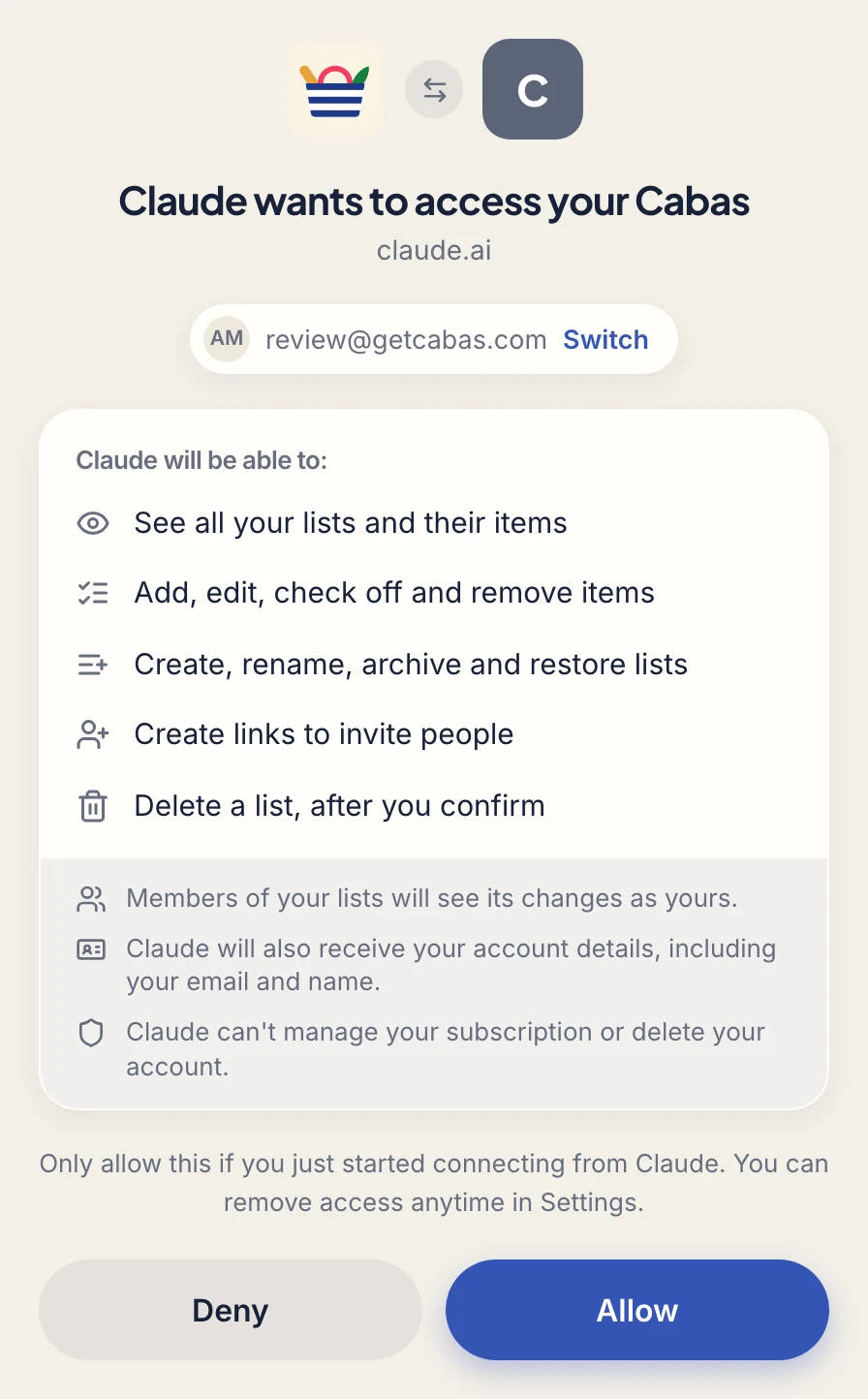
A Cabas page opens: sign in with Apple or Google, using your app account, check what Claude will be able to do, then click Allow.
- 3
Start
Open a chat and ask away. The first time, Claude asks for permission to use Cabas: choose Allow once or Always allow.

Permissions: set what Claude can do without asking in Customize › Connectors › Cabas.
On mobile: once Cabas is connected, it shows up in the Claude app on iPhone and Android.
Can't find Cabas in the directory? Add it as a custom connector: in Customize › Connectors, choose + Add › Add custom connector. In an account managed by an organization, if you can't add it yourself, ask an admin. The address to enter:
https://app.getcabas.com/mcpTry it now
- Add everything for a raclette for 6 to my Cabas list
- What's left to buy on my Cabas list?
- Plan this week's dinners and put the ingredients on my Cabas list
Not working?
The connection fails
Start again from the Cabas page in the directory. If it still fails, remove Cabas from your connectors in Claude and connect it again.
Claude doesn't touch my list
Say "my Cabas list", and accept when Claude asks for permission to use Cabas. If you have several lists, name the one to use. If the Cabas page says "Request expired", start again from Claude.
Disconnect Cabas
In Cabas on the web (app.getcabas.com) › Settings › Connected apps › Remove: Claude loses access at once. You can also remove Cabas from your connectors in Claude.