
Add Cabas to ChatGPT
In a few minutes, ChatGPT can read and fill your Cabas lists. You talk to it, the list follows, for the whole family.
You add Cabas yourself
You add it on chatgpt.com, in a browser. Cabas isn't in the ChatGPT directory yet, so you add it yourself with its address.
Before you start
- A ChatGPT account, even a free one
- A Cabas account, signed in with Apple or Google. A guest account isn't enough. Create my account
- The Cabas address
https://app.getcabas.com/mcp
Steps
- 1
Open plugins
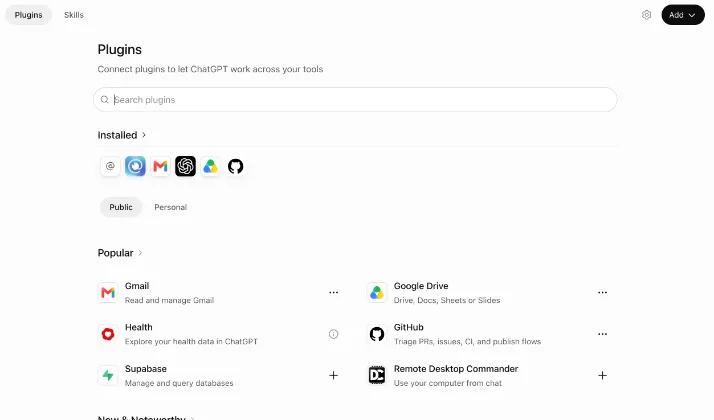
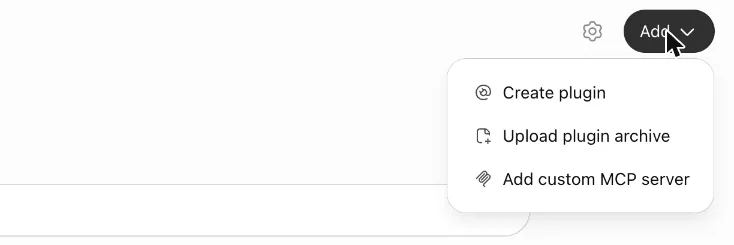
On chatgpt.com, click Plugins in the sidebar, then Add at the top right, and choose Add custom MCP server.
- 2
Fill in the form
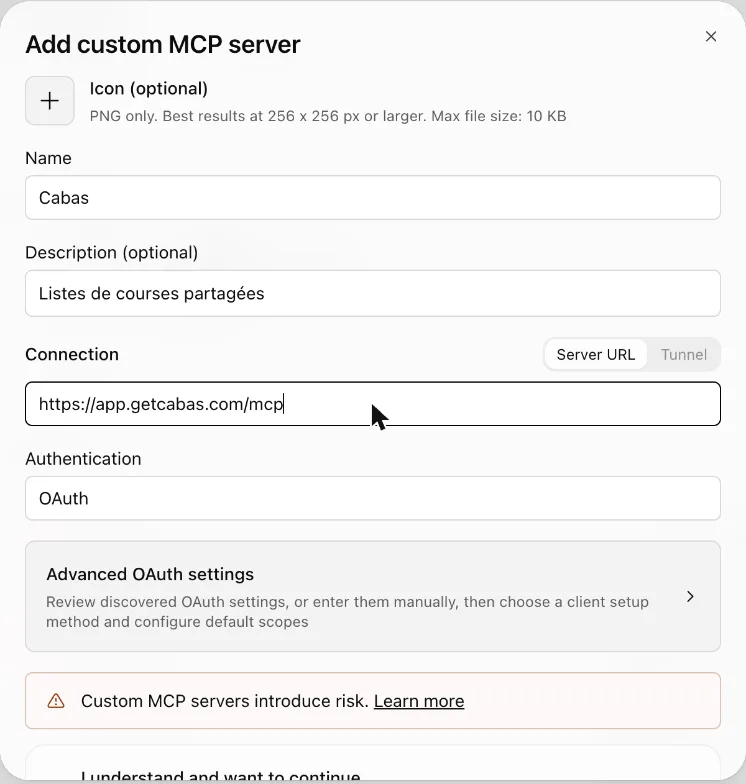
Name: Cabas. Connection: paste the address below. Authentication: leave OAuth, already selected, and skip the advanced settings.
https://app.getcabas.com/mcpOptional: a description ("Shared grocery lists") and the Cabas icon. Download the Cabas icon (PNG, 9 KB)
- 3
Create the plugin
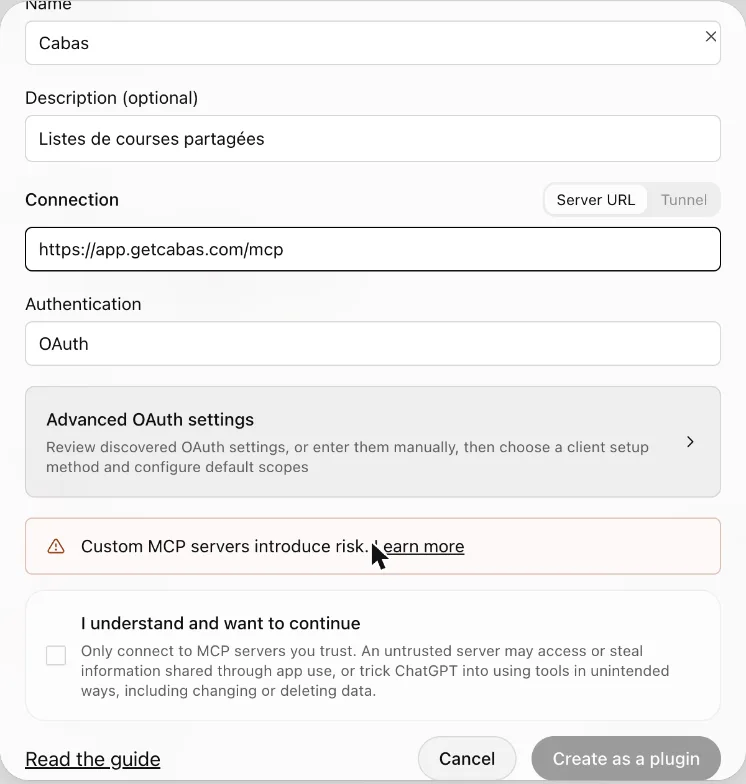
Tick I understand and want to continue, then click Create as a plugin.
- 4
Connect your Cabas account
A Cabas page opens. Sign in with Apple or Google, using your app account, check what ChatGPT will be able to do, then click Allow.
- 5
Start
In a chat, type @Cabas, then your request.
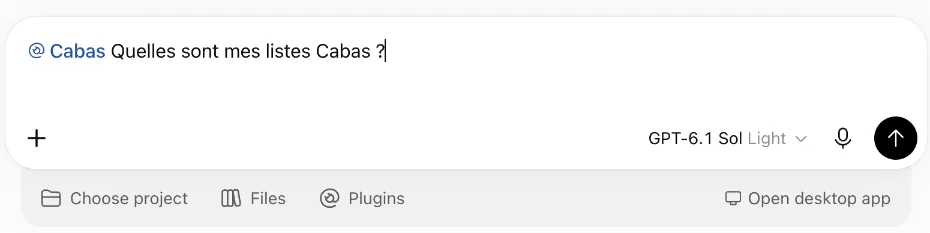

By default, ChatGPT uses Cabas without asking for low-risk actions. To change this: Plugins › Personal › Cabas, then the plugin's permission settings.
Try it now
- @Cabas, add everything for a raclette for 6
- @Cabas, what's left to buy on my list?
- @Cabas, plan this week's dinners and put the ingredients on the list
Not working?
The connection fails
Start again from ChatGPT. If it still fails, delete the Cabas plugin and add it again.
The Cabas page says "Request expired" or "An account is required"
Start again from ChatGPT. If you use Cabas as a guest, first complete your account in the app, from Settings.
ChatGPT doesn't touch my list
Start your request with @Cabas. If you have several lists, name the one to use.
Disconnect Cabas
In Cabas on the web (app.getcabas.com) › Settings › Connected apps › Remove: ChatGPT loses access at once. To remove the plugin from ChatGPT too: Plugins › Personal, then the "…" menu next to Cabas.